Searching
Searching for strings
Advanced queries using boolean operations, parentheses, or field specific lookup can be used to find the strings you want.
When no field is defined, the lookup happens on source, target, and context strings.
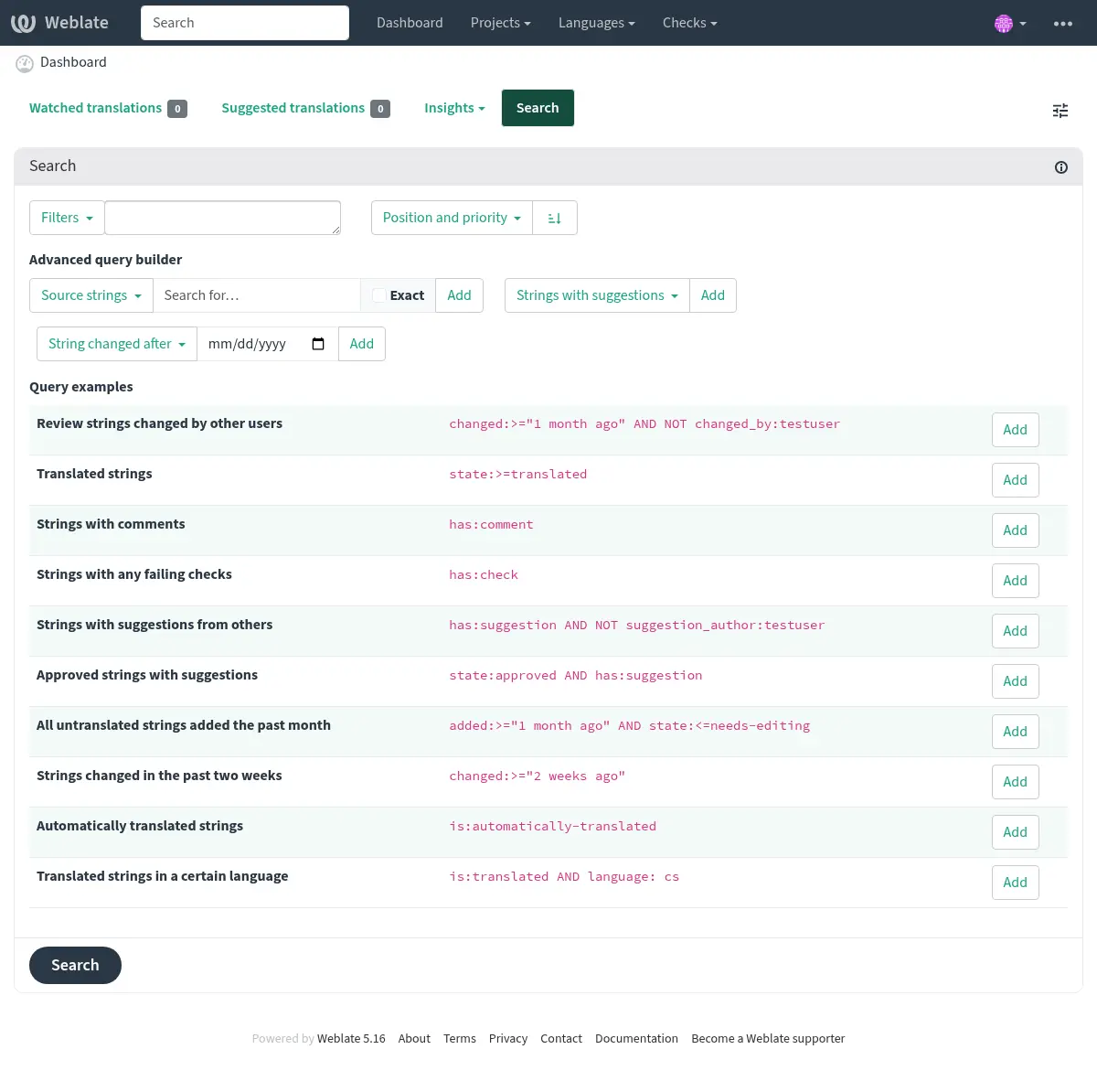
Simple search
Any phrase typed into the search box is split into words. Strings containing all
of them are shown. To look for an exact phrase, put “the searchphrase” into
quotes (both single (') and double (") quotes will work): "this is a quoted
string" or 'another quoted string'.
Fields
source:TEXTSource string case-insensitive search.
target:TEXTTarget string case-insensitive search.
context:TEXTContext string case-insensitive search.
key:TEXTKey string case-insensitive search.
note:TEXTSource string description case-insensitive search.
location:TEXTLocation string case-insensitive search.
priority:NUMBERString priority.
id:NUMBERString unique identifier.
position:NUMBERString position in the translation file.
added:DATETIMETimestamp for when the string was added to Weblate.
state:TEXTSearch for string states (
approved,translated,needs-editing,needs-rewriting,needs-checking,empty,read-only).This field also supports Field operators, so searching for completed strings can be performed as
state:>=translated, searching for strings needing translation asstate:<translated.source_state:TEXTSearch for source string states, see above for more info.
pending:BOOLEANString pending for flushing to VCS.
has:TEXTSearch for string having attributes -
plural,context,suggestion,comment,check,dismissed-check,translation,variant,screenshot,flags,explanation,glossary,note,label,location.is:TEXTFilters string on a condition:
read-onlyorreadonlyRead-only strings, same as
state:read-only.approvedApproved strings, same as
state:approved.needs-editingorfuzzyNeeding editing/checking/rewriting strings, same as
state:needs-editing OR state:needs-rewriting OR state:needs-checking.translatedTranslated strings, same as
state:>translated.untranslatedUntranslated strings, same as
state:<translated.pendingPending strings not yet committed to the file (see Lazy commits).
automatically-translatedStrings that were translated automatically (see Automatic translation).
language:TEXTString target language.
component:TEXTComponent slug or name case-insensitive search, see Component slug and Component name.
project:TEXTProject slug, see URL slug.
path:TEXTPath to the object to limit searching inside component, category, project, or translation.
changed_by:TEXTString was changed by author with given username.
changed:DATETIMEString content was changed on date, supports Field operators and Searching for DATETIME fields.
change_time:DATETIMEString was changed on date, supports Field operators and Searching for DATETIME fields.
Unlike
changedthis includes event which don’t change content and you can apply custom action filtering usingchange_action.change_action:TEXTFilters on change action, useful together with
change_time. Accepts English name of the change action, either quoted and with spaces or lowercase and spaces replaced by a hyphen. See Searching for changes for examples.source_changed:DATETIMESource string was last changed on date, supports Field operators and Searching for DATETIME fields.
last_changed:DATETIMEThe string was last changed on date, supports Field operators and Searching for DATETIME fields.
check:TEXTString has failing check, see Checks and fixups for check identifiers.
dismissed_check:TEXTString has dismissed check, see Checks and fixups for check identifiers.
comment:TEXTSearch in user comments.
resolved_comment:TEXTSearch in resolved comments.
comment_author:TEXTFilter by comment author.
suggestion:TEXTSearch in suggestions.
suggestion_author:TEXTFilter by suggestion author.
explanation:TEXTSearch in explanations.
label:TEXTSearch in labels.
screenshot:TEXTSearch in screenshots.
labels_count:NUMBERFilter by count of labels
Boolean operators
You can combine lookups using AND, OR, NOT and parentheses to
form complex queries.
The NOT operator has higher precedence than the AND operator; the
AND operator has higher precedence than the OR operator. You can add
parenthesis to define a precedence of your own.
Omitting the operator will make the query behave like the AND operator was
used.
|
Parenthesized expression to clearly show the precedence. |
|
The |
|
Query using an implicit |
Field operators
You can specify operators, ranges or partial lookups for date or numeric searches:
state:>=translatedState is
translatedor better (approved).changed:[2019-03-01 to 2019-04-01]Changed between two given dates (inclusive).
position:[10 to 100]Strings with position between 10 and 100 (inclusive).
Searching for DATETIME fields
Timestamp searching supports multiple ways to specify the value. It supports wide range of ways to specify date and time.
ISO 8601 formatted like
2025-09-08T12:16:55.336146+00:00.English written date and time like
July 4, 2013 PST.English adverbs of time like
yesterday,last month, and2 days ago.
Whenever only the date is specified, it is always used as inclusive and covers that date. Specify the exact timestamp if you need to override this behavior.
Examples:
changed:>=2019-03-01Changed on 1st March 2019 and later (inclusive).
changed:>="2 weeks ago"Changed 2 weeks ago from the current date and time.
changed:>=yesterdayChanged starting yesterday.
changed:2019Changed in the year 2019.
changed:[2019-03-01 to 2019-04-01]Changed between two given dates (inclusive).
changed:[20_days_ago to yesterday]Changed between two relative dates (inclusive).
Exact operators
You can do an exact match query on different string fields using = operator. For example, to
search for all source strings exactly matching hello world, use: source:="hello world".
For searching single word expressions, you can skip quotes. For example, to search for all source strings
matching hello, you can use: source:=hello.
Searching for changes
Added in version 4.4.
Searching for history events can be done using change_action and
change_time operators.
For example, searching for strings marked for edit in 2018 can be entered as
change_time:2018 AND change_action:marked-for-edit or
change_time:2018 AND change_action:"Marked for edit".
Regular expressions
Anywhere text is accepted you can also specify a regular expression as r"regexp".
For example, to search for all source strings which contain any digit between 2
and 5, use source:r"[2-5]".
Hint
The regular expressions are evaluated by the database backend and might use different extensions, please consult the database documentation for more details:
Predefined queries
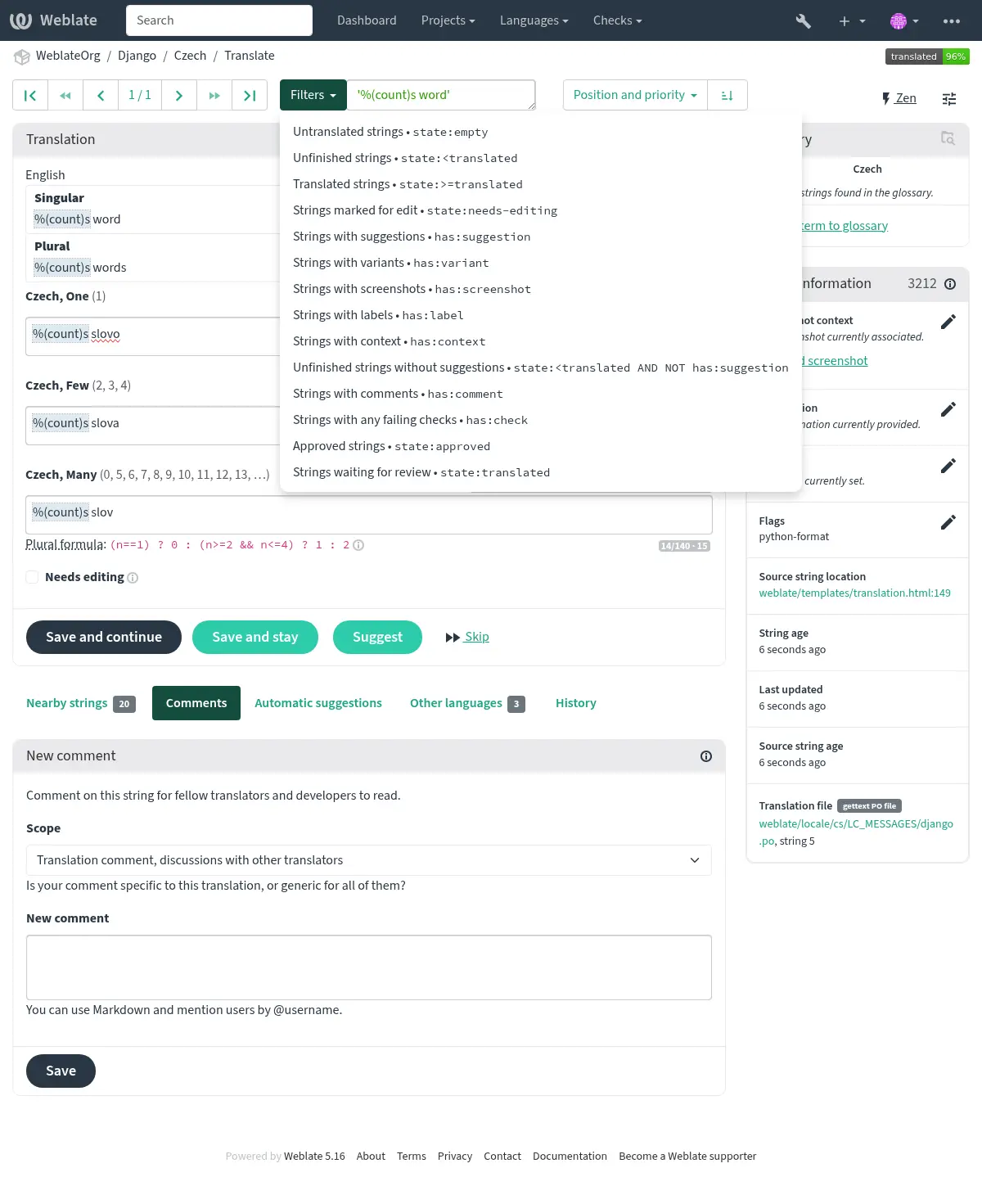
You can select out of predefined queries on the search page, this allows you to quickly access the most frequent searches:
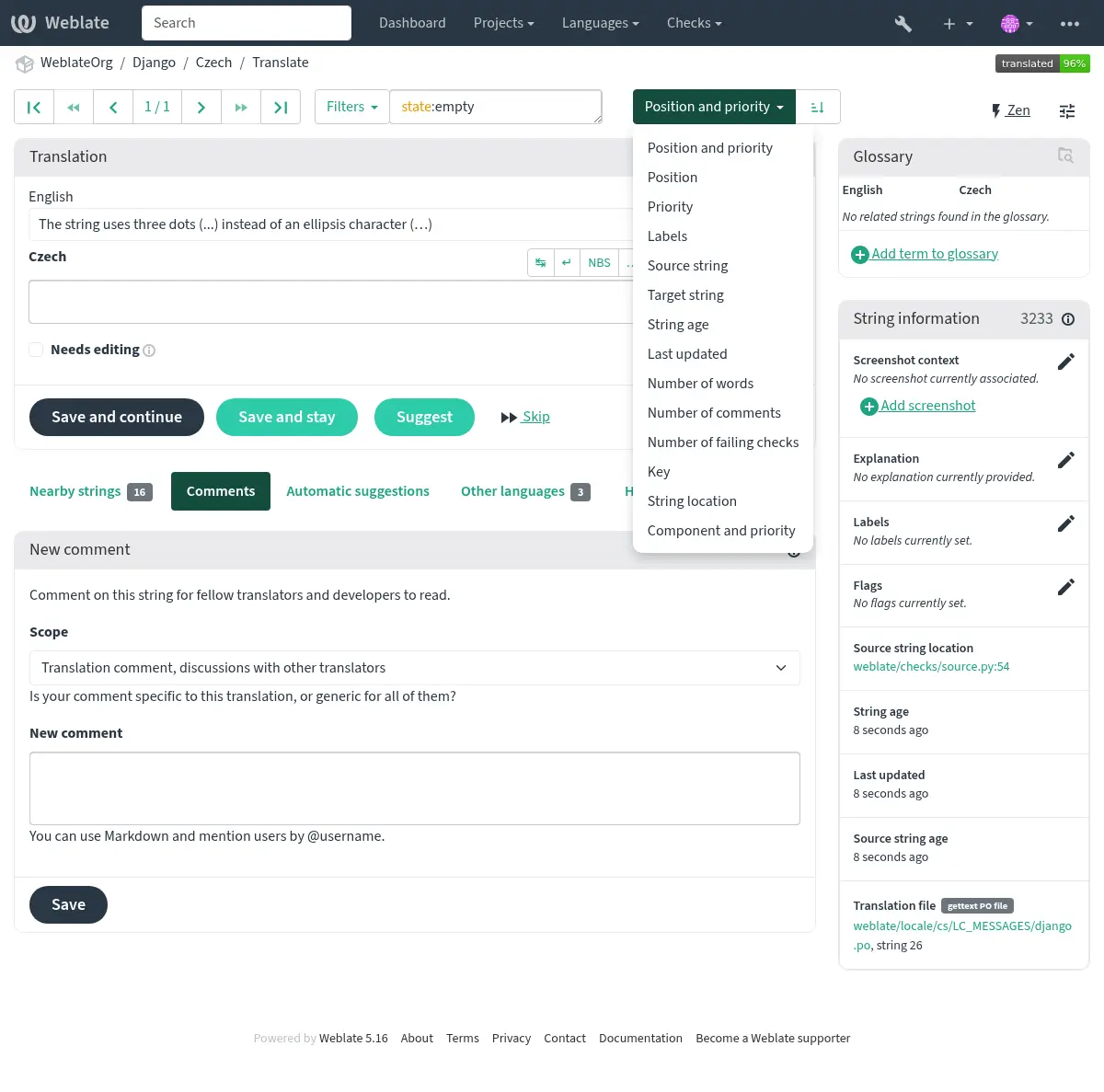
Ordering the results
There are many options to order the strings according to your needs:
Searching for users
Added in version 4.18.
The user browsing has similar search abilities:
username:TEXTSearch in usernames.
full_name:TEXTSearch in full names.
language:TEXTUser configured translation language (see Translated languages).
joined:DATETIMEString content was changed on date, supports Field operators.
translates:TEXTUser has contributed to a given language.
You might want to limit contribution time by
change_time, for examplechange_time:>"90 days ago".contributes:TEXTUser has contributed to a given project or component.
You might want to limit contribution time by
change_time, for examplechange_time:>"90 days ago".change_time:DATETIMESame as in Searching for strings.
change_action:TEXTSame as in Searching for strings.
Additional lookups are available in the Management interface:
is:botSearch for bots (used for project scoped tokens).
is:activeSearch for active users.
email:TEXTSearch by e-mail.